
Attendance, holiday and payroll — settled before anyone argues about it.
One system for clocking in, booking time off, approving overtime and proving you did it properly. Your admin gets their afternoons back. Your staff stop asking.
No card. No setup fee.
All data held in the UK. Built for UK rules, not adapted to them.
Live in an afternoon. Import your staff from a spreadsheet.
No hardware. A printed QR poster and the phones people already have.
One price, everything in. No modules to unlock later.
The honest before and after
Most offices don't have a system. They have a habit.
A spreadsheet, a paper book by the door, a WhatsApp message about being late, and one person who remembers everything. It works until they're on holiday.
Today
- Hours retyped from a paper book into a spreadsheet, then into payroll.
- Two people booked the same fortnight off and nobody spotted it.
- “I definitely clocked out” — and no way to prove otherwise.
- Overtime agreed in the corridor, remembered differently at month end.
- Right-to-work copies in a drawer, expiry dates in someone's head.
- Staff ask the office how many holidays they have left. Repeatedly.
With TradeZiller HR
- Hours arrive already added up, ready to approve and export.
- Clashes are flagged as the request is made, by department rule.
- Every scan is kept, with time and place. Corrections sit beside them.
- Overtime is requested, decided and dated — in writing, by default.
- Expiries chase you, not the other way round.
- Staff check their own balance on their phone at 9pm.
What your admin stops doing
The four jobs it takes off someone's desk
01 / Attendance
Timesheets that fill themselves in
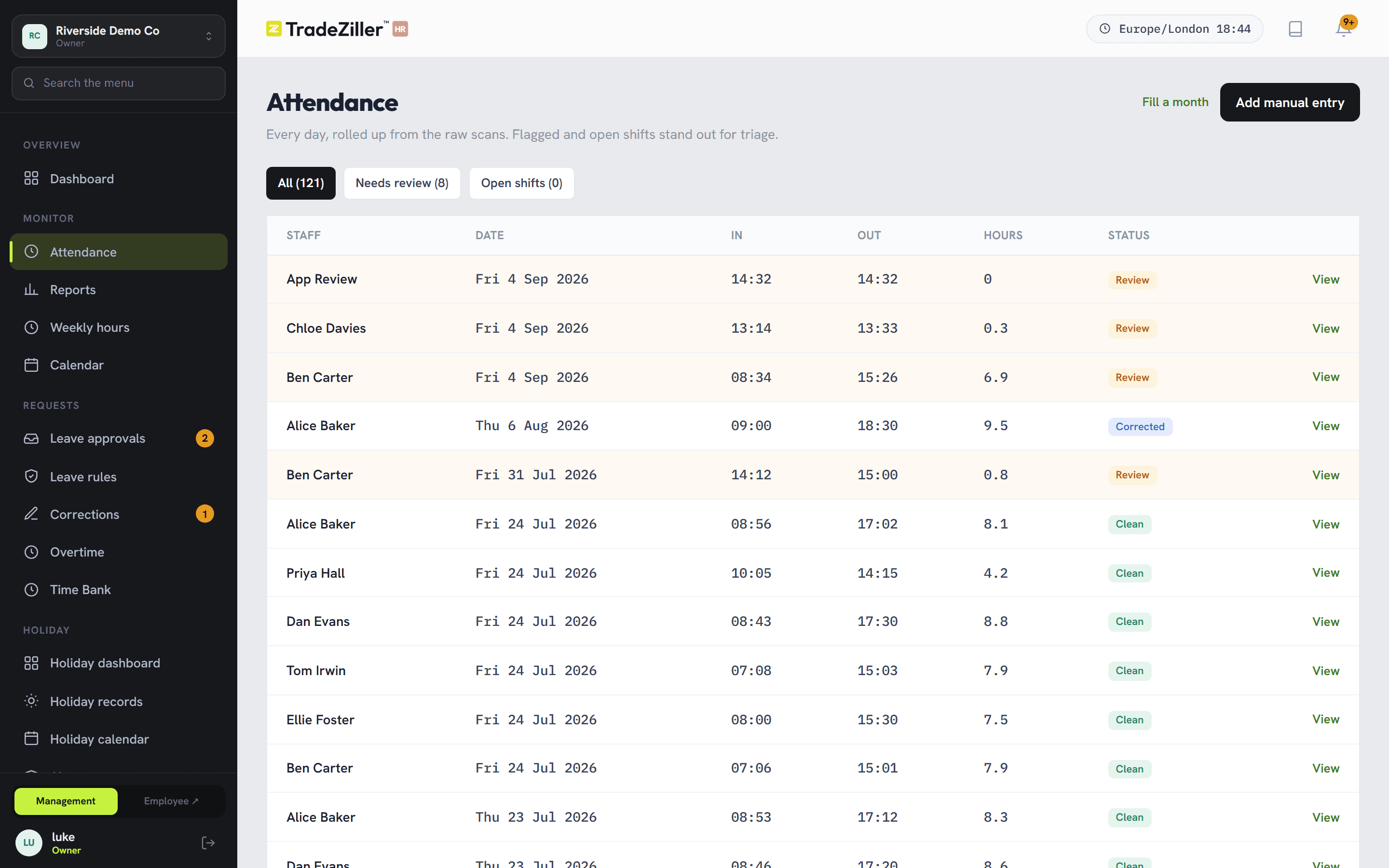
Staff scan a QR poster on the way in with the phone in their pocket. Each day is rolled up from the raw scans — hours, breaks, lateness — and anything odd is flagged amber for review rather than quietly rounded off.
- GPS distance recorded on every scan, with a radius you set per site
- Vans and mobile teams can be exempt from the geofence
- The original scans are never edited — corrections sit alongside them
02 / Holiday
Holiday arguments, headed off early
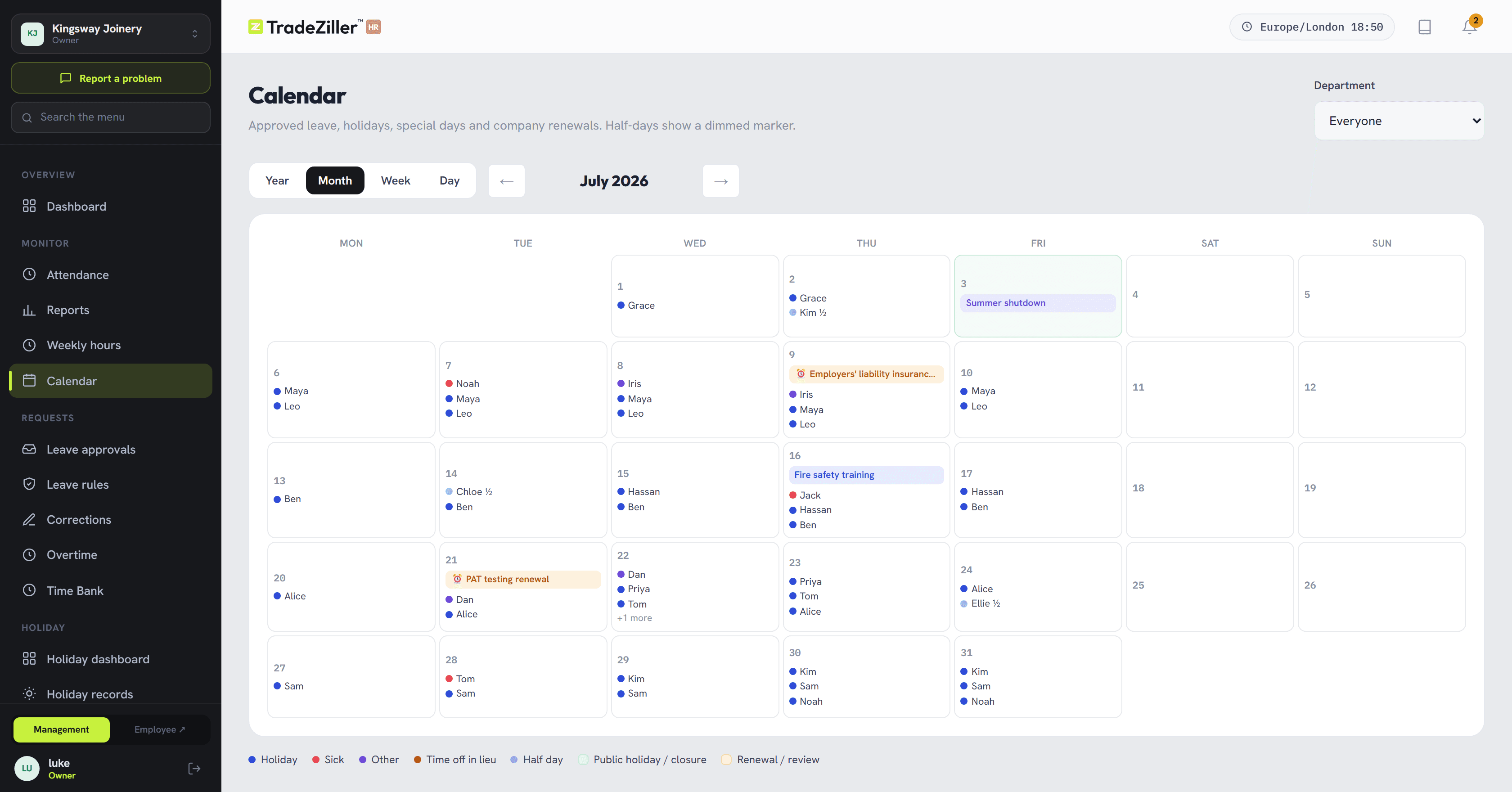
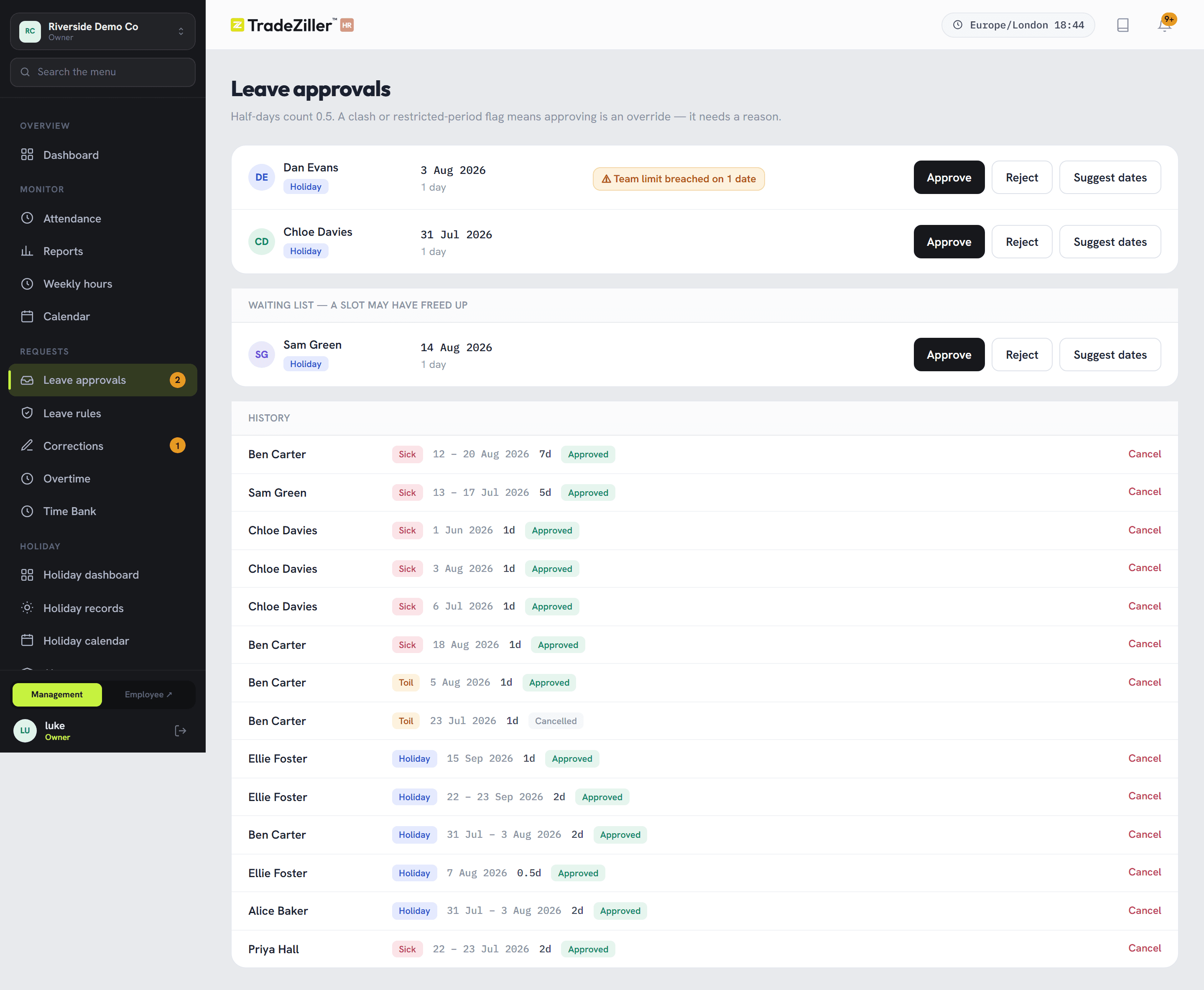
Each department gets its own rule for how many people can be off at once, and what happens when that's reached — warn, or refuse. Staff see how busy their chosen dates already are before they ask, so most clashes never turn into a request at all.
- Bank holidays and company shutdowns imported, not typed
- Every balance backed by a ledger you can audit line by line
- Year-end carry-over for the whole company in one pass, capped by your policy
03 / The awkward conversations
Lateness and overtime, on paper instead of hearsay
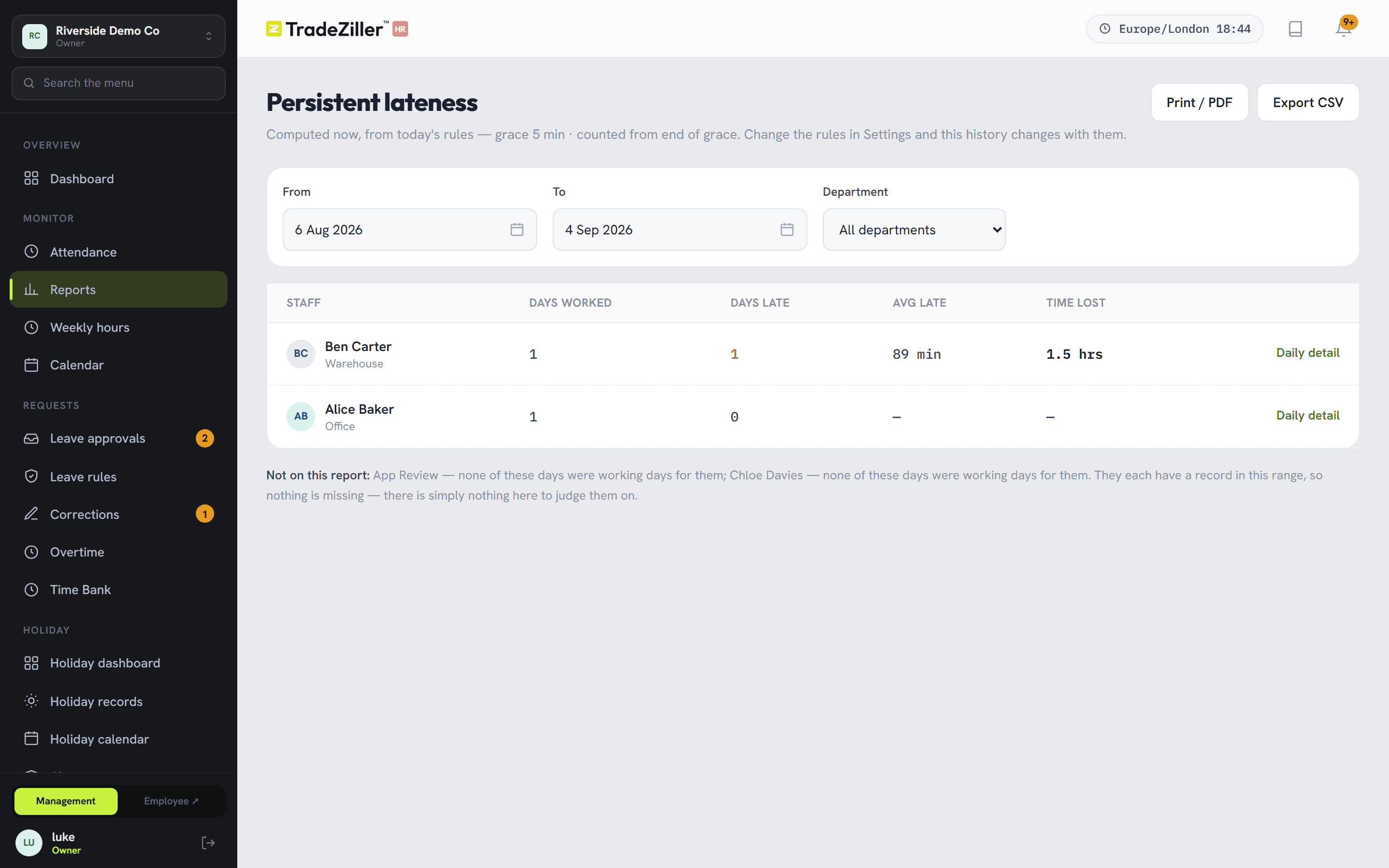
The lateness report is the one managers open first: late 16 days out of 20, or never — measured against that person's own working pattern, and blank for anyone without a fixed start time. It turns a vague feeling into a dated fact you can sit down and discuss.
- Overtime requested and approved with a rate and a reason attached
- “I forgot to clock out” becomes a correction request, not a favour
- Recorded and proposed times kept side by side, with who decided
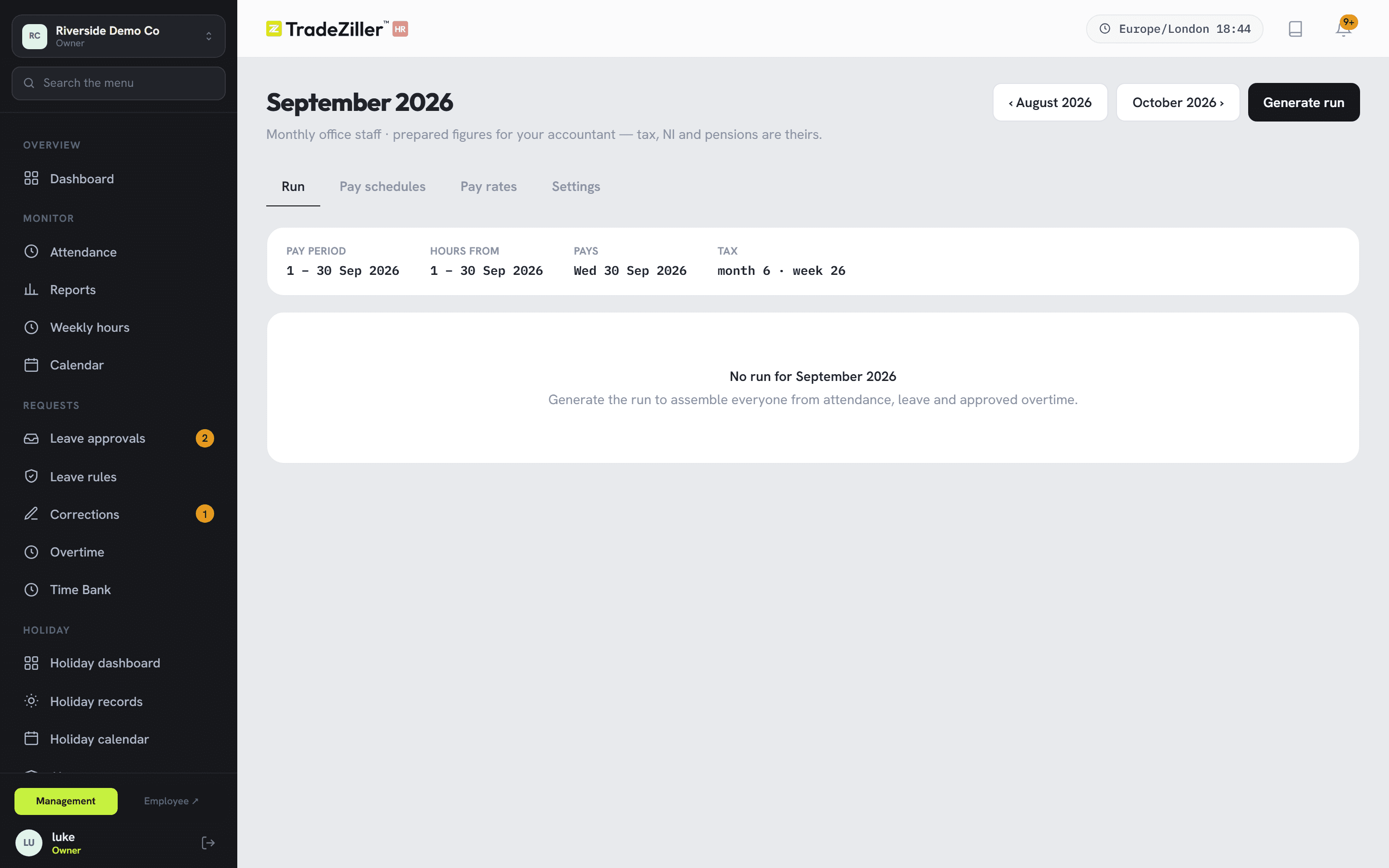
04 / Payroll
Payroll that argues with you first
A draft run pulls the approved hours, the overtime and the leave, then lists what looks wrong — an open shift, a missing rate, a day still needing review — before you sign it off. Fix, re-run, approve, export.
- Salaried and hourly staff in the same run
- Approved runs lock, so figures can't drift after the fact
- Export for your payroll provider or accountant
For the people who aren't in the office
Staff answer their own questions
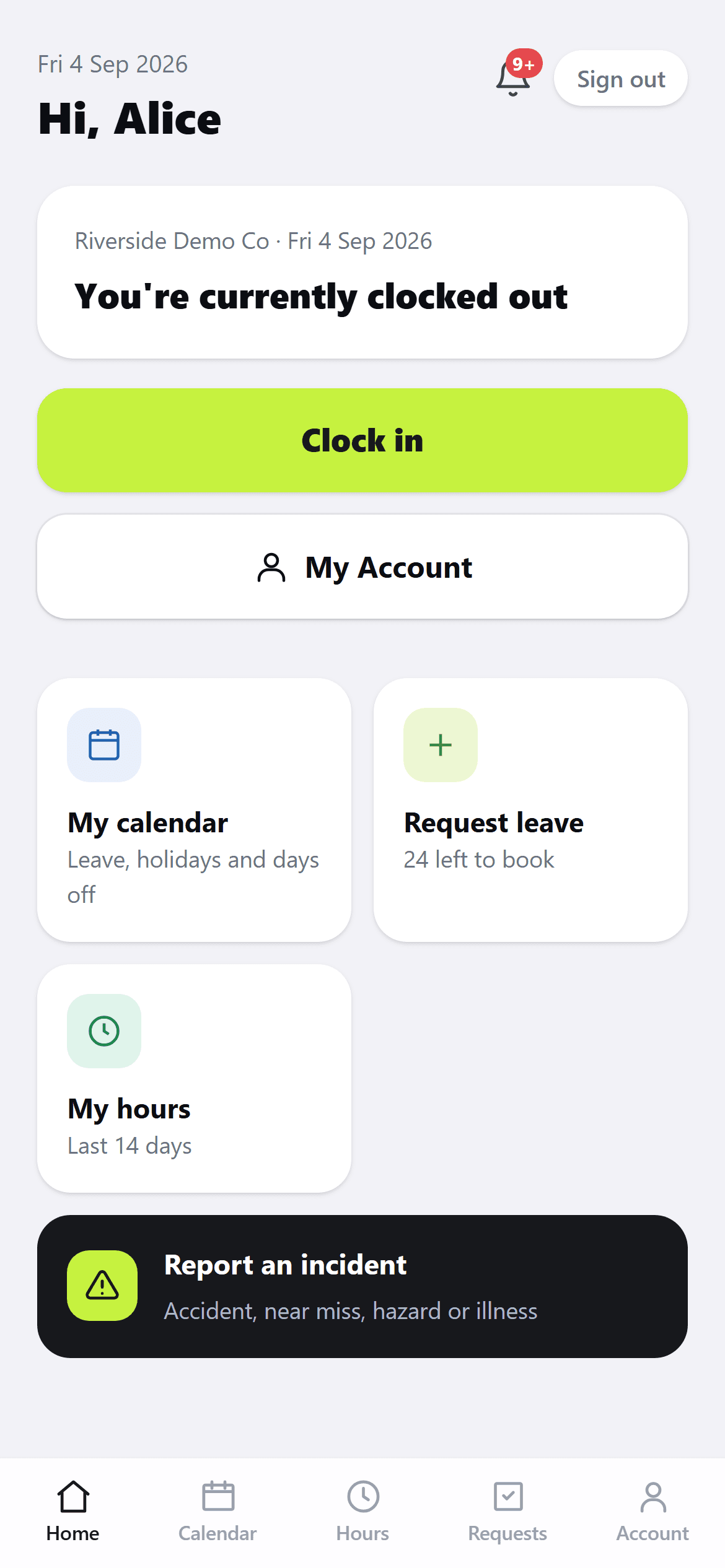
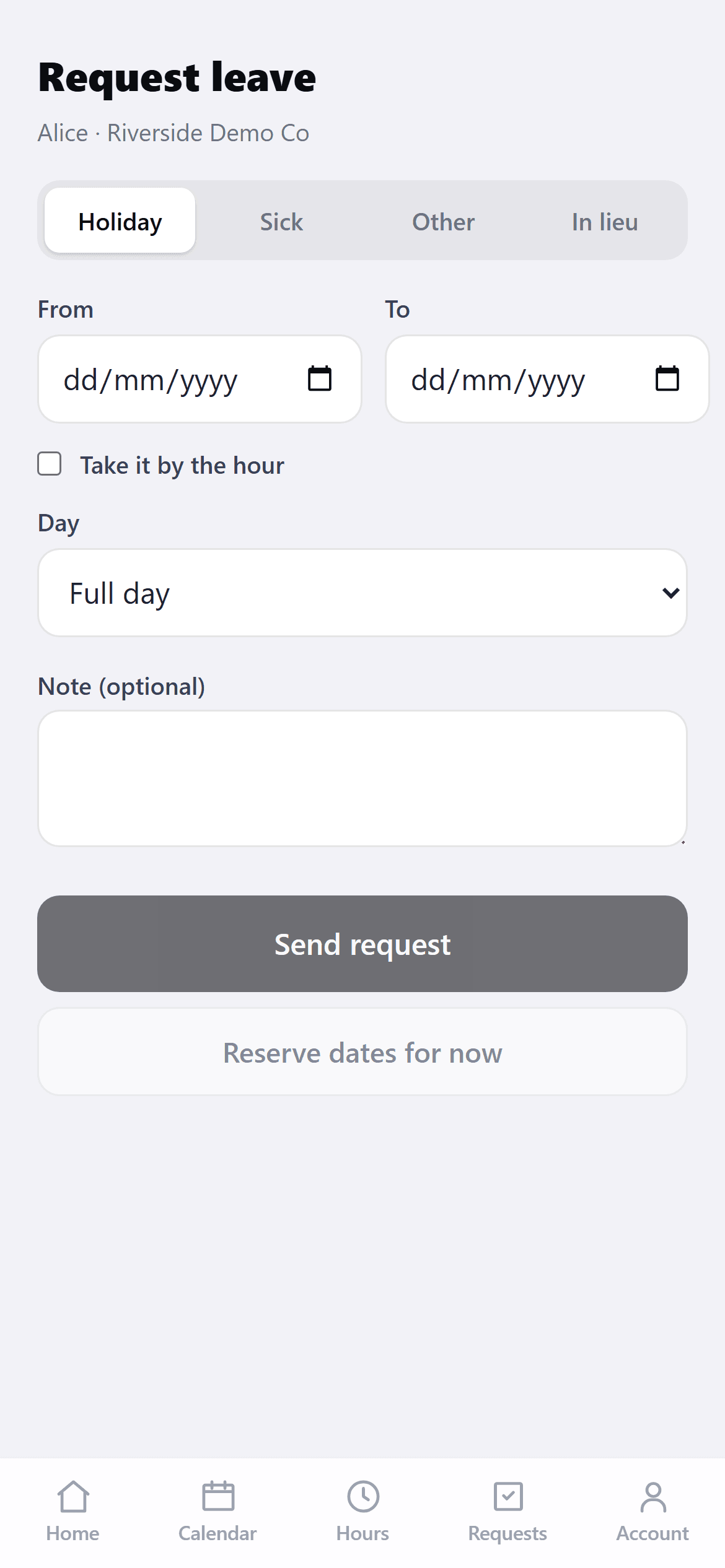
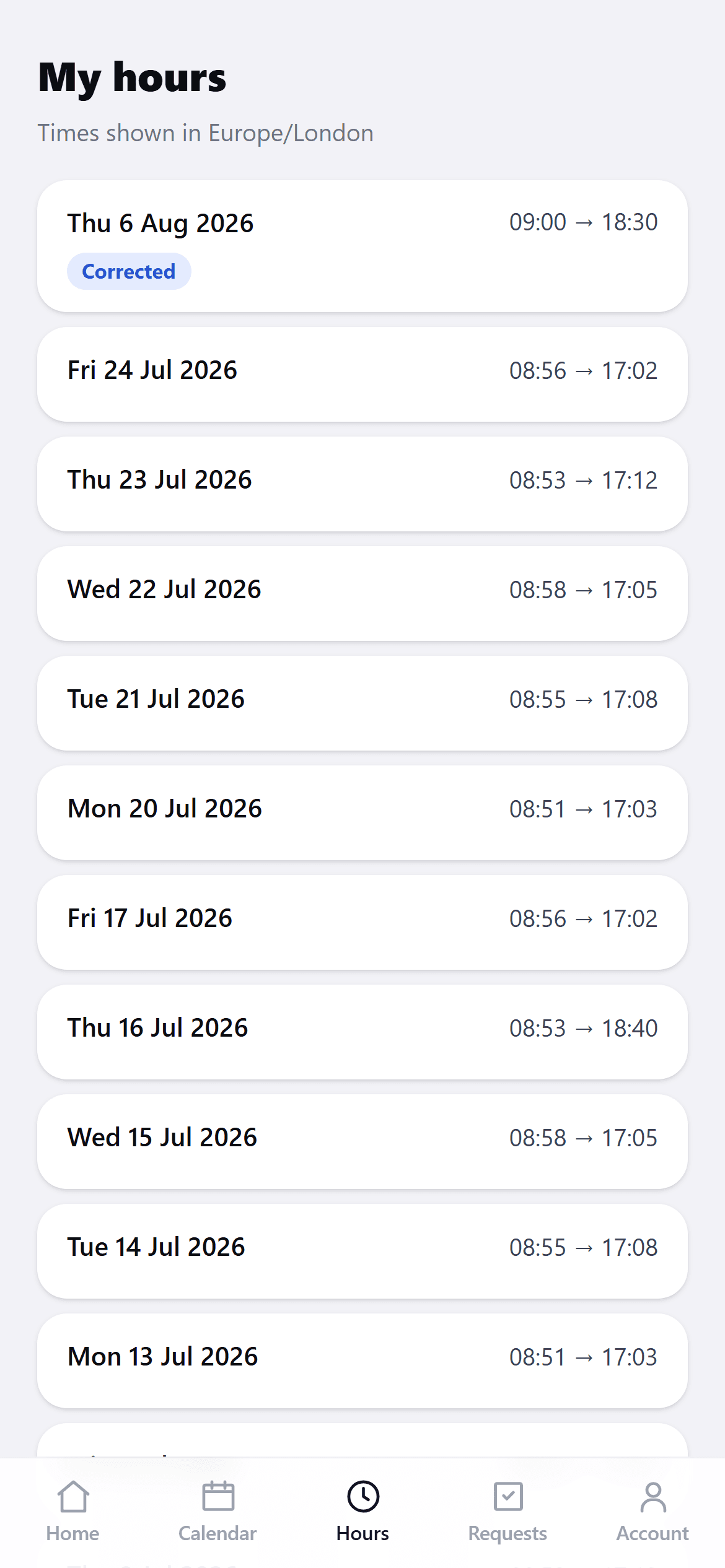
No app store, no logins to hand out — a 4-digit PIN on the phone they already carry. They only see the buttons that make sense right now: clock in, start a break, book time off.
- Days used and days left on the booking form, before they choose dates
- Their own timesheet, with “request a fix” on anything that looks wrong
- A calendar showing their leave, shutdowns and bank holidays together
- PINs are stored scrambled. Nobody, including you, can look one up
Compliance
The part you can't afford to be relaxed about
Right-to-work checks, expiring qualifications, policies that need acknowledging, insurance and MOT dates. All of it dated, evidenced and chased — in the one place an inspector or a tribunal would ask about.
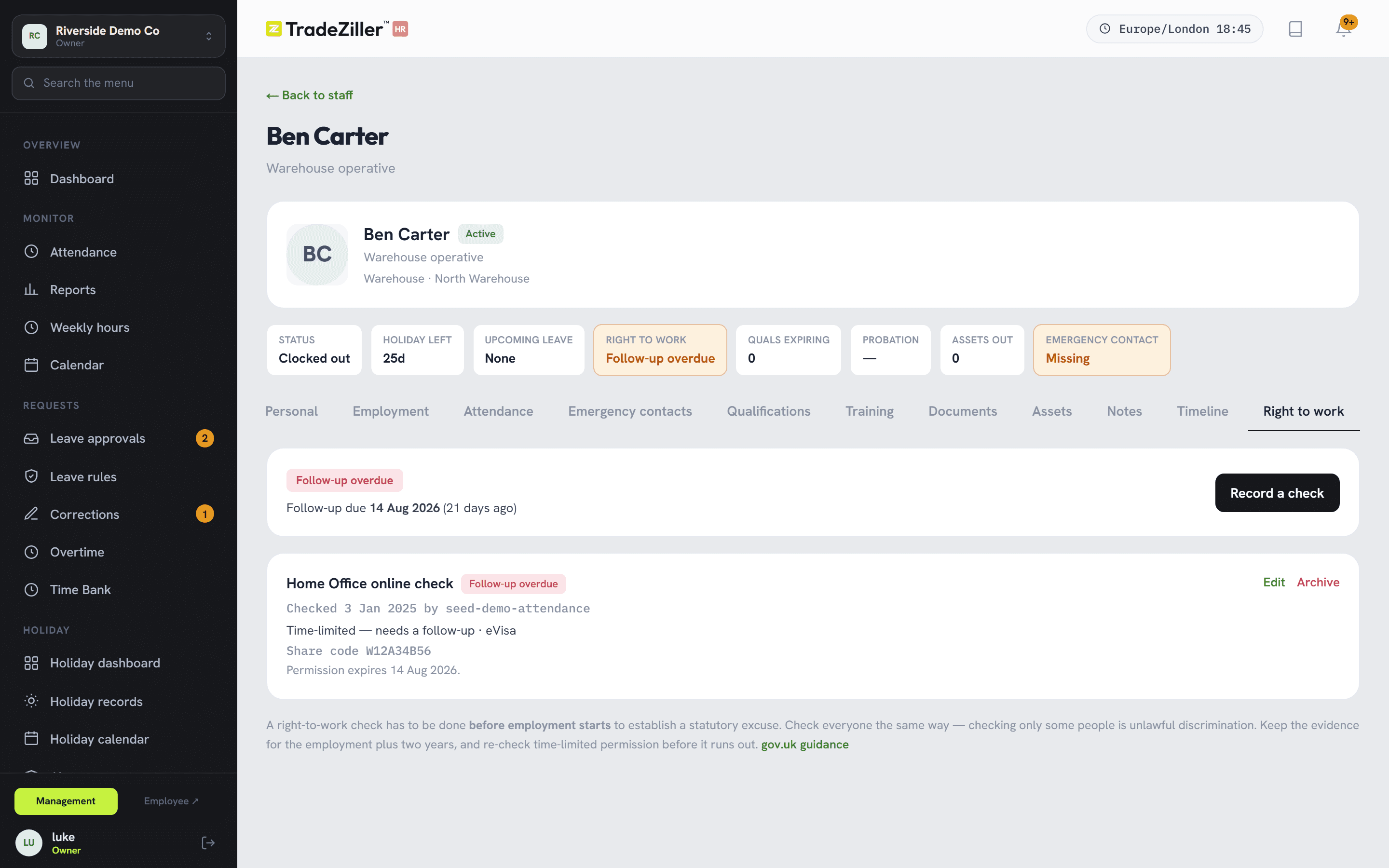
Right to work, done the same way for everyone
Method, outcome, share code and follow-up date on a statutory record. Time-limited permission can't be saved without an expiry — because without one you have no statutory excuse. Everyone shows amber until they're checked, so nobody gets singled out.
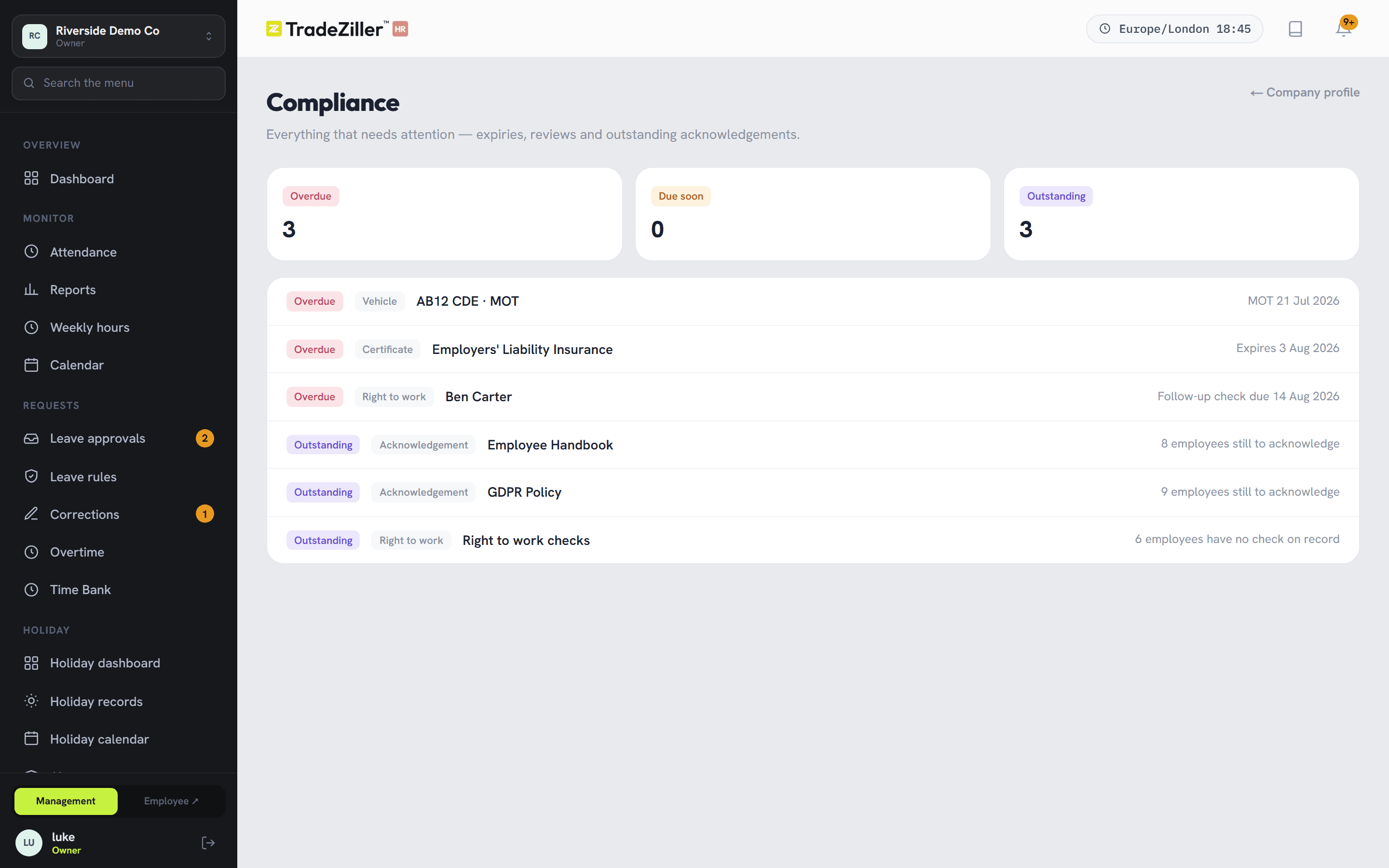
One list of everything overdue
Expiring qualifications, unacknowledged policies, follow-ups falling due — grouped overdue, due soon, outstanding. Each row links back to the record it came from.
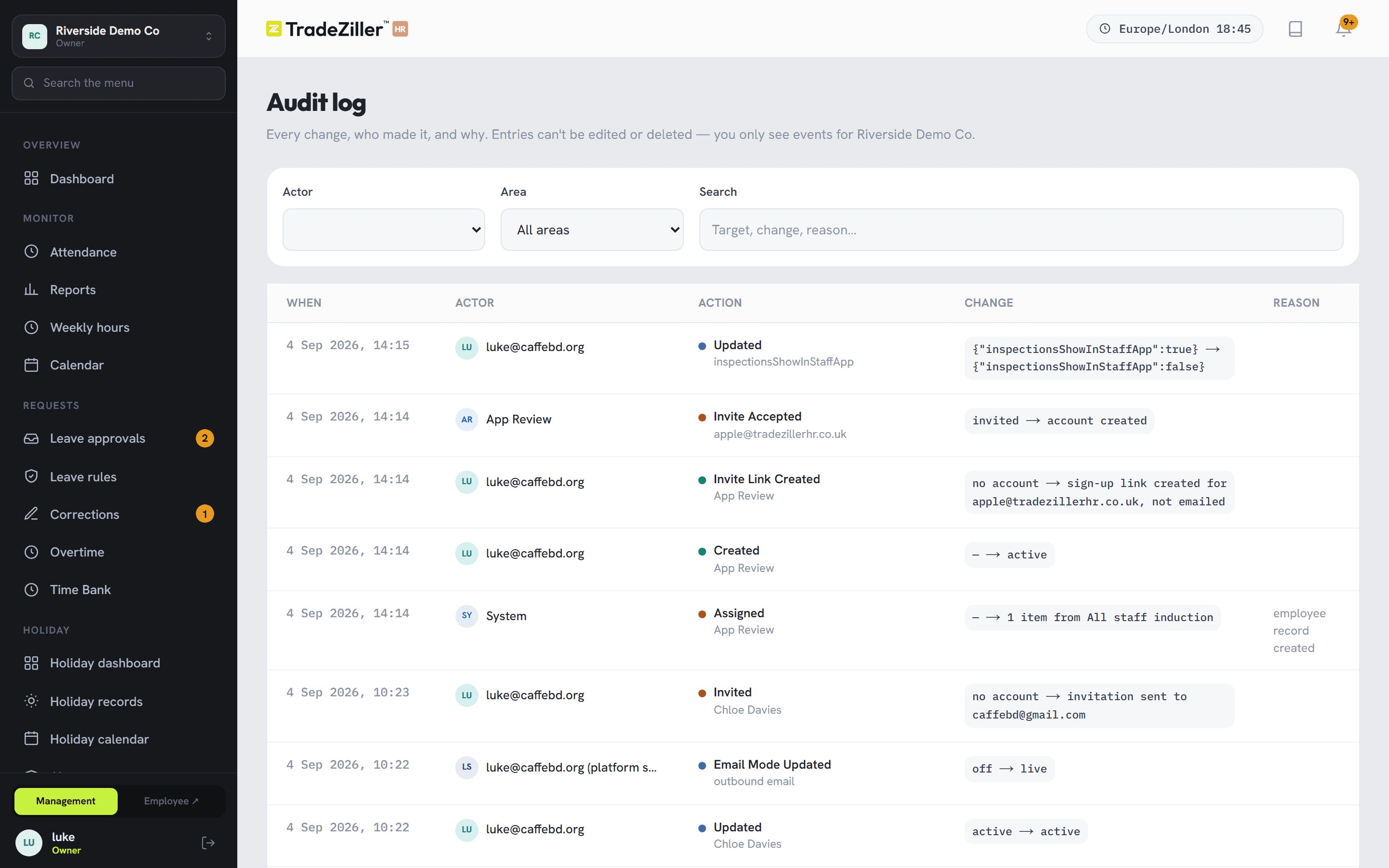
Data, plainly
All data is held in the UK. Not replicated abroad, not processed elsewhere overnight.
Every change is written to an audit log — who did what, to whom, and why. Roles decide who can see pay and HR notes; the screens someone shouldn't have simply aren't there, rather than greyed out.
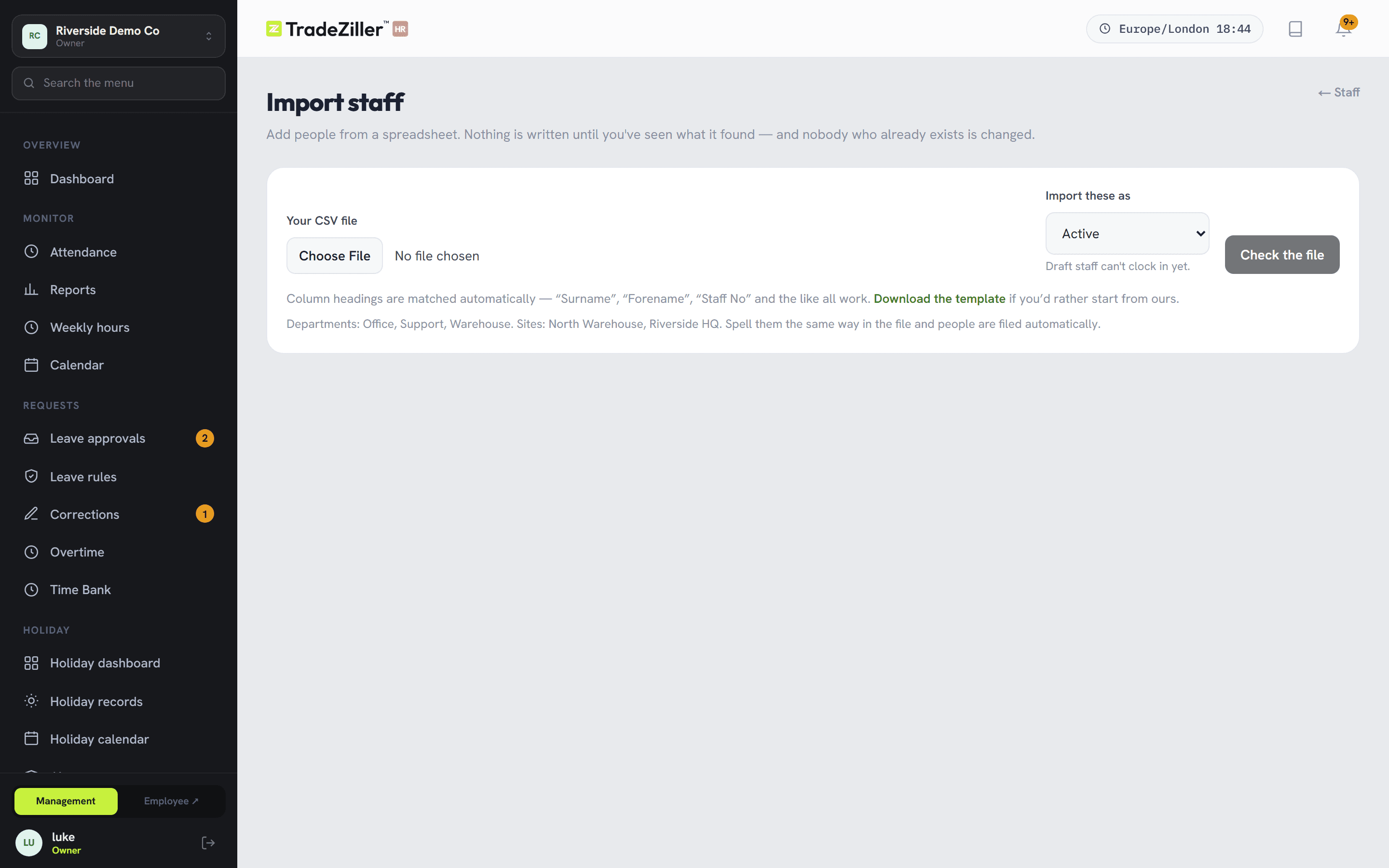
Getting started
Nobody types eighty people in by hand
Export from whatever you use now and import it. Column headings are matched for you — “Surname”, “Forename”, “Staff No” all work. You get a preview of exactly what will happen to each row, and nothing is written until you say so.
- Import the same file twice and nobody is added twice
- Bad rows are refused and explained, not silently dropped
- Then print one QR poster per site and you're running
Questions people ask first
Where is our data held?
In the UK. It isn't processed or replicated overseas, which is usually the first question a UK HR manager has and the last one they get a straight answer to.
Do staff need to install an app?
No. It opens in the browser on their phone and they sign in with a 4-digit PIN. Nothing to approve on a company device policy.
Do we need clocking hardware?
No terminals, no fobs. Each site gets a QR poster you print. Scans record distance from the site, with a radius you choose — and mobile staff can be exempt.
Can someone quietly change a timesheet?
No. The original scans are immutable. A correction is recorded against the proposed time with a reason and a name, and it lands in the audit log.
How long does setup take?
An afternoon for most offices. Company details, departments, sites and working patterns, then import your staff from a spreadsheet.
Does it handle salaried and hourly people?
Both, in the same payroll run — and it refuses the combinations that would silently lose money, like a salary against an hourly worker.
Who can see pay and HR notes?
Only the roles you allow. A manager's sidebar simply doesn't contain payroll, HR or the audit log — nothing is greyed out to be argued about.
What happens to unused holiday at year end?
Nothing, until you decide. Carry-over is a deliberate action, run for the whole company at once, capped by your policy — and it can't pay anyone twice.
Try it on your own staff list.
Free trial, no card. Import your people, print a poster, and clock in tomorrow morning. If it isn't obviously better than the spreadsheet by the end of the week, walk away.